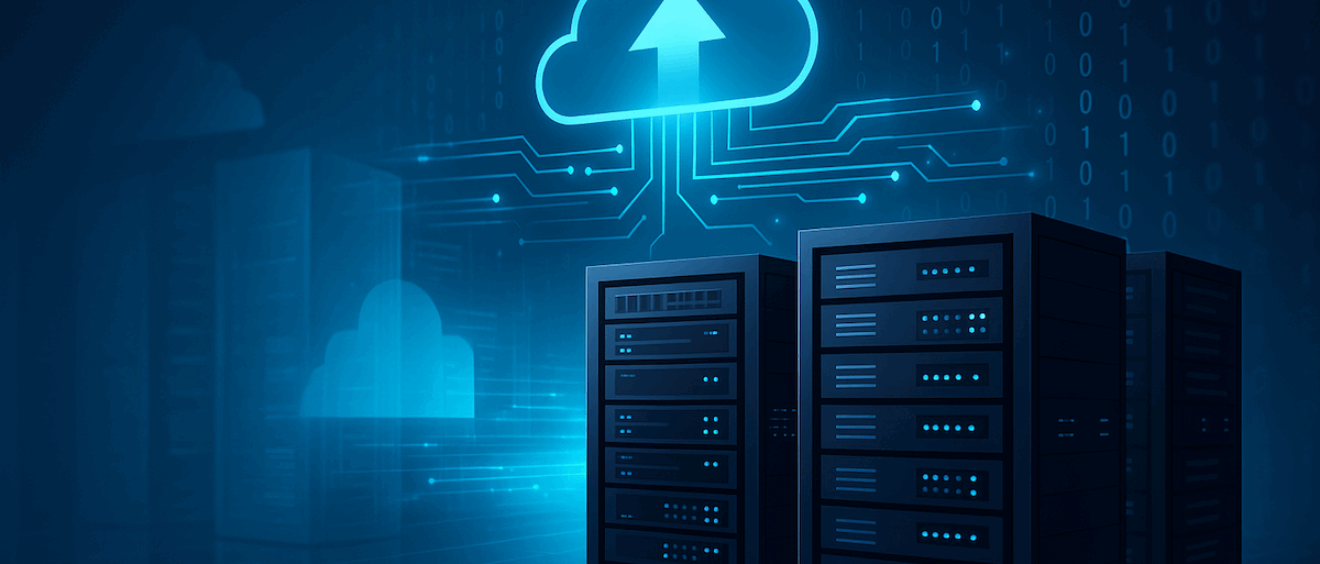
Decommissioning Legacy Systems
What to Look For and Key Considerations
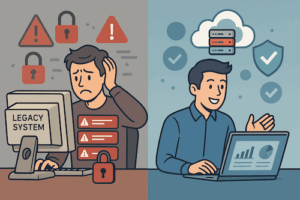
In today’s fast-paced IT landscape, decommissioning legacy systems is no longer optional—it’s a strategic necessity. Outdated platforms often become costly to maintain, introduce security risks, and block integration with modern tools. Whether you’re replacing an aging platform or sunsetting a system entirely, the process involves far more than flipping a switch.
To ensure success, organisations must take a structured approach. Below, we explore nine critical considerations for decommissioning legacy systems effectively and with minimal disruption.
1. Data Management: Migration, Cleansing, Archiving, and Access
When it comes to decommissioning legacy systems, data is usually the most valuable asset involved. A clear strategy for handling this data will determine whether your project runs smoothly or fails under regulatory scrutiny or technical oversight.
Migration Strategy
Start by taking a full inventory of all data within the system. Analyse formats, volumes, and relationships between datasets. Once complete, build a comprehensive data mapping document to support extraction, transformation, and loading (ETL) into the new platform.
Data Cleansing
Before migrating, cleanse the data to eliminate duplicates, fix formatting issues, and remove outdated records. Doing so not only improves data quality but also reduces the cost and complexity of the target system.
Archiving and Retention
Some data won’t be needed day-to-day but must be retained for legal, historical, or compliance purposes. Therefore, ensure appropriate archiving solutions are in place—using secure, indexed formats that allow quick access when required.
Access Controls
Even archived data must be accessible to authorised users. Role-based permissions and searchable interfaces will help meet both audit and operational needs.
2. Security: Safeguarding Information Throughout the Transition
Security is often the most underestimated aspect of decommissioning legacy systems, yet it carries the greatest risk. A breach during transition could cost more than maintaining the legacy system itself.
Risk Identification
Conduct a full vulnerability assessment of the legacy environment. Identify areas where data could be exposed or mishandled during decommissioning.
Secure Data Handling
Use industry-standard encryption (such as AES-256 for data at rest and TLS for data in transit). In addition, enforce strict access control policies and multi-factor authentication throughout the transition.
Incident Response Planning
Include a contingency plan in case of a breach or data corruption. Monitoring logs in real-time during decommissioning helps detect suspicious activity early.
3. Communication: Keep Everyone in the Loop
Without clear communication, even the most well-planned decommissioning effort can go off the rails. Both internal and external parties need to be informed, aligned, and prepared.
Internal Updates
Provide regular briefings to project stakeholders, business units, and IT teams. Use collaboration tools like Slack, MS Teams, or Jira dashboards for ongoing visibility and feedback.
External Stakeholders
Notify customers, partners, and third-party vendors of any upcoming changes. For example, if an API is being retired, give external users enough lead time to migrate their integrations.
Continuous Feedback
Encourage feedback loops throughout the project to capture risks, concerns, and improvement opportunities.
4. Replacement or Full Retirement: Define Your Path
Understanding whether you are decommissioning a legacy system with or without a replacement is crucial. This decision will shape timelines, budget, and user training needs.
Full Retirement (No Replacement)
If the system is being permanently retired, ensure all business processes depending on it are either obsolete or replaced by other methods. Run a thorough impact analysis to confirm nothing mission-critical is being lost.
Replacement Strategy
Where a modern system is replacing the legacy one, plan a phased migration. Run both systems in parallel for a transition period. This allows time to validate functionality and train users without business interruption.
Mixed Scenarios
In some cases, you may retire some modules while others are replaced. A hybrid plan with staged decommissioning ensures smoother handovers.
Decommissioning legacy systems is not just about turning them off — it’s about protecting data, aligning people, and future-proofing your operations.
5. Interfaces and Integrations: Uncover Hidden Dependencies
Modern enterprises rarely operate systems in isolation. Most legacy platforms are integrated with other systems via APIs, webhooks, batch jobs, or data feeds.
Identify All Connections
Create an interface inventory. Use monitoring tools to track inbound and outbound connections and document their function.
Rebuild or Retire
Determine which interfaces must be rebuilt for the new system and which can be eliminated. Retiring unused APIs reduces complexity and improves security posture.
Validate End-to-End
Don’t just check that systems “talk.” Run data through test environments to ensure end-to-end functionality is preserved, including error handling, timing, and logging.
6. System Dependencies: Know What Else is Affected
A system rarely stands alone. Internal tools, middleware, and external vendors may all rely on the platform you’re decommissioning.
Internal Systems
Look for internal applications that share databases, file systems, or compute resources. Confirm whether they can operate independently once the legacy system is gone.
External Vendors
Reach out to vendors connected via secure FTP, APIs, or other shared services. Ensure they’re informed of changes and given time to adjust.
Compliance Systems
In some industries, regulatory systems (such as tax reporting, government portals, or audit tools) may pull data from the legacy platform. Confirm that compliant replacements are ready.
7. People and Change Management
While systems and data are critical, the people side of decommissioning legacy systems is just as important. Poor change management can result in low adoption, employee resistance, or even project failure.
Role Mapping
Identify all users of the legacy system and define how their workflows will change. Assign “change champions” to represent departments and act as liaisons during transition.
Training
Deliver tailored training sessions based on roles—helpdesk teams need different guidance than finance users or executives. Create video tutorials, step-by-step guides, and practice environments.
Support Planning
Prepare for increased support queries during the early weeks post-decommissioning. Ensure your IT support desk is equipped with FAQs, troubleshooting scripts, and escalation paths.
8. Reporting and Business Intelligence Continuity
Many organisations rely on legacy systems for reporting. Removing these systems without replicating their reporting capabilities can cause serious business disruption.
Report Inventory
List all existing reports, dashboards, and KPIs generated by the legacy system. Interview business users to find out which ones are actually used and which are obsolete.
Rebuild Critical Reports
Use modern BI tools (e.g., Power BI, Tableau, Looker) to replicate valuable dashboards. Where possible, enhance them with better visuals and live data integration.
Validate Output
Ensure the new reports match historical output during parallel runs. Discrepancies can raise red flags and cause confusion among decision-makers.
9. Infrastructure and Resource Recovery
Finally, once data is migrated and systems retired, it’s time to decommission infrastructure. This final step brings cost savings and security benefits.
Physical Hardware
Securely erase storage drives using NIST-compliant tools. Then, either dispose of the equipment via certified e-waste vendors or repurpose it within the organisation.
Virtual and Cloud Resources
Review cloud hosting environments (e.g., AWS, Azure) for legacy VMs, databases, and storage buckets. Terminate unused instances to avoid unnecessary spend.
Network and Access Cleanup
Update DNS records, firewall rules, and VPN configurations to eliminate unused ports and domains. This step reduces your threat surface and simplifies ongoing maintenance.
Final Thoughts: Decommissioning Done Right
Successfully decommissioning legacy systems is about more than turning off old servers. It’s about risk mitigation, data integrity, business continuity, and user confidence. From mapping data flows to training staff, each step must be carefully executed.
By taking a structured, well-communicated, and user-focused approach, you’ll unlock the benefits of modernisation—lower costs, improved performance, and a future-ready IT environment.
Need help decommissioning legacy systems? Our consultants specialise in secure data transitions, interface analysis, and enterprise change management. Reach out today to begin your legacy system transition with confidence.
Recent Articles
- August 1, 2025Business Analysis
- July 20, 2025Software Design
- January 15, 2022Business Analysis